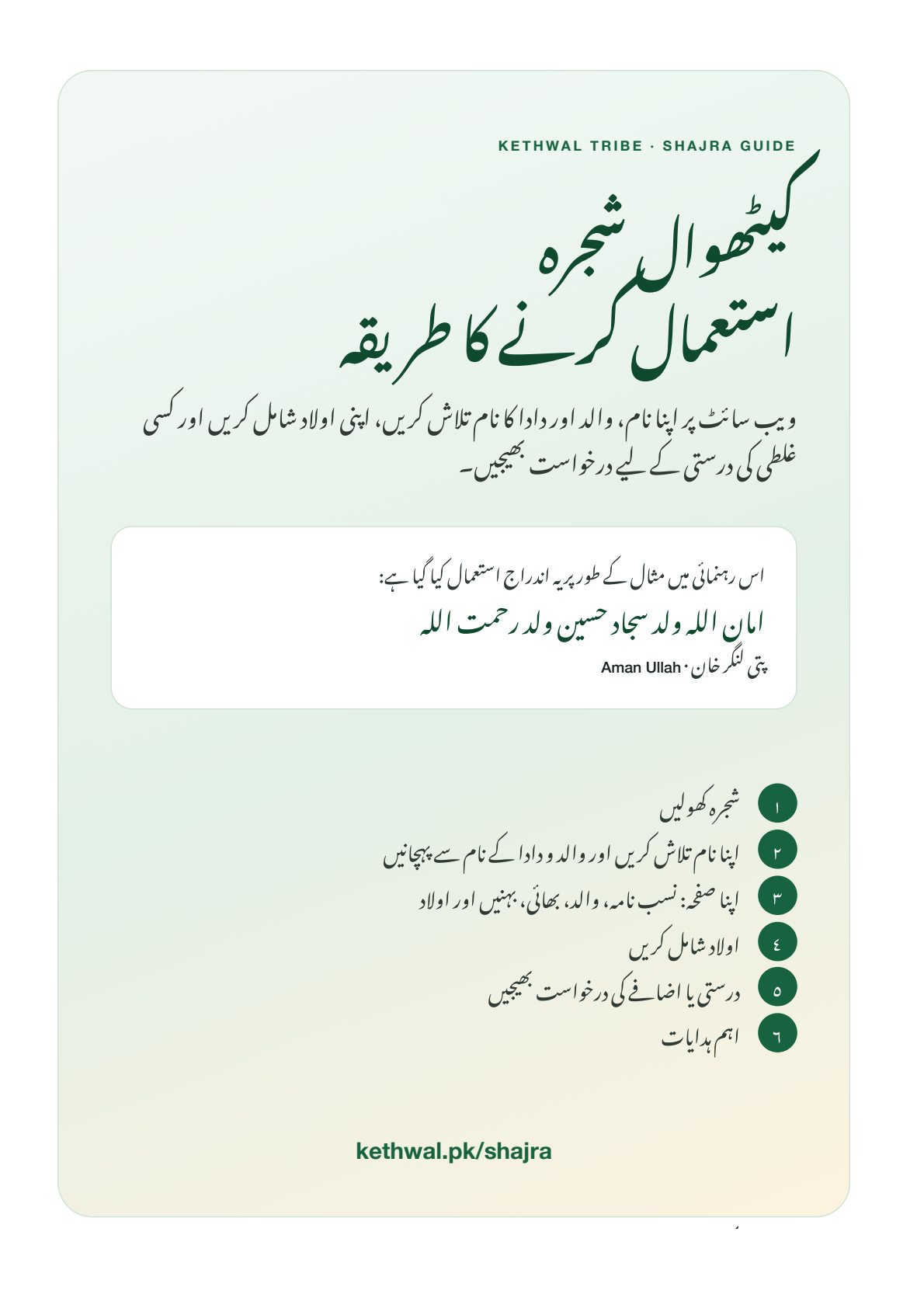
This guide shows how to find your name in the Kethwal shajra, read your lineage, add your children, and ask for a correction. Every addition is checked by an administrator before it appears on the website.
اس رہنمائی میں بتایا گیا ہے کہ ویب سائٹ پر کیٹھوال شجرہ میں اپنا نام کیسے تلاش کریں، اپنا نسب نامہ کیسے پڑھیں، اپنی اولاد کیسے شامل کریں اور کسی غلطی کی درستی کے لیے درخواست کیسے بھیجیں۔ ہر اضافہ ایڈمن کی تصدیق کے بعد ویب سائٹ پر نظر آتا ہے۔
Download the guide (PDF) · رہنمائی ڈاؤن لوڈ کریں Open the shajra · شجرہ کھولیں
Steps · مراحل
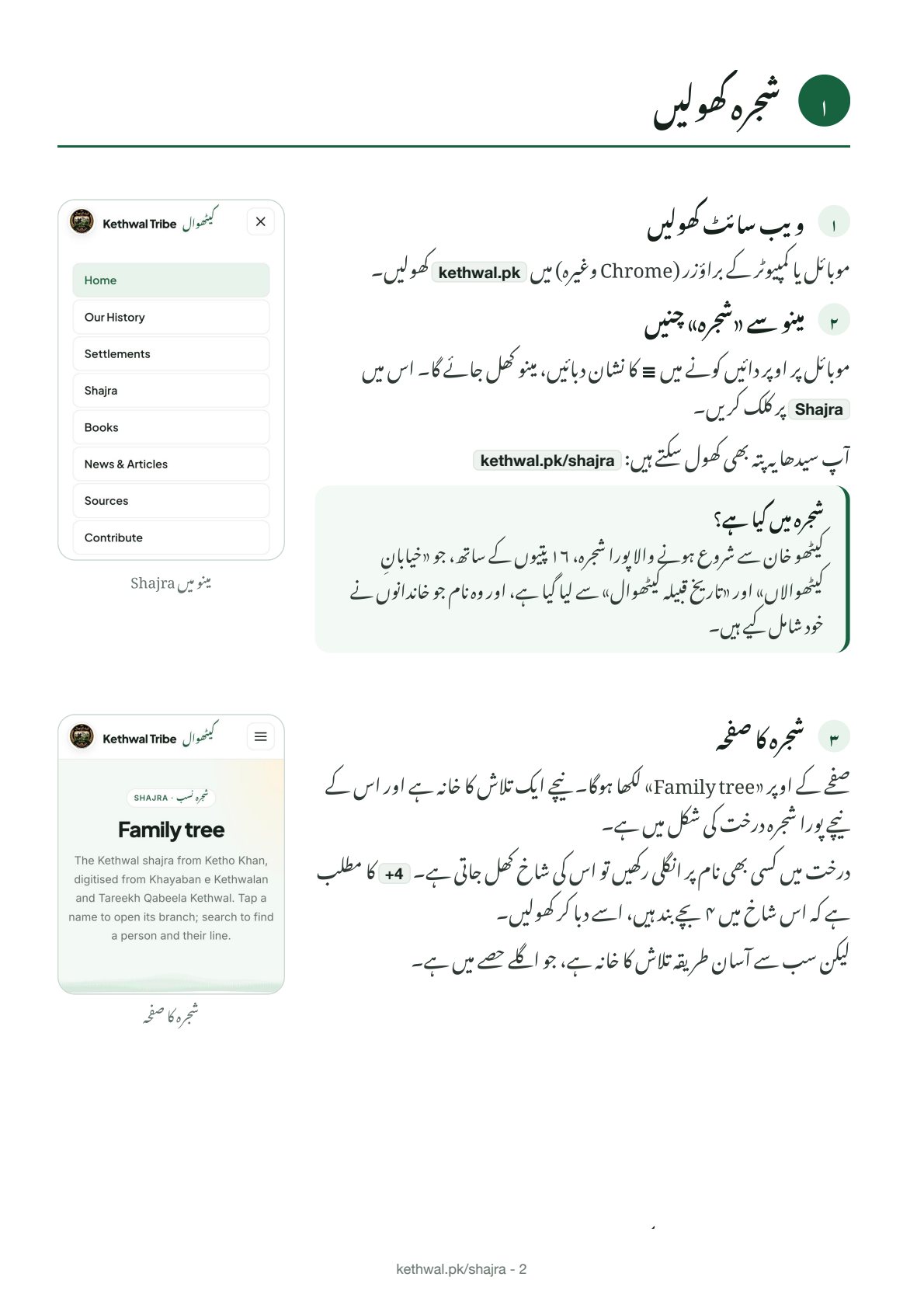
- شجرہ کھولیں
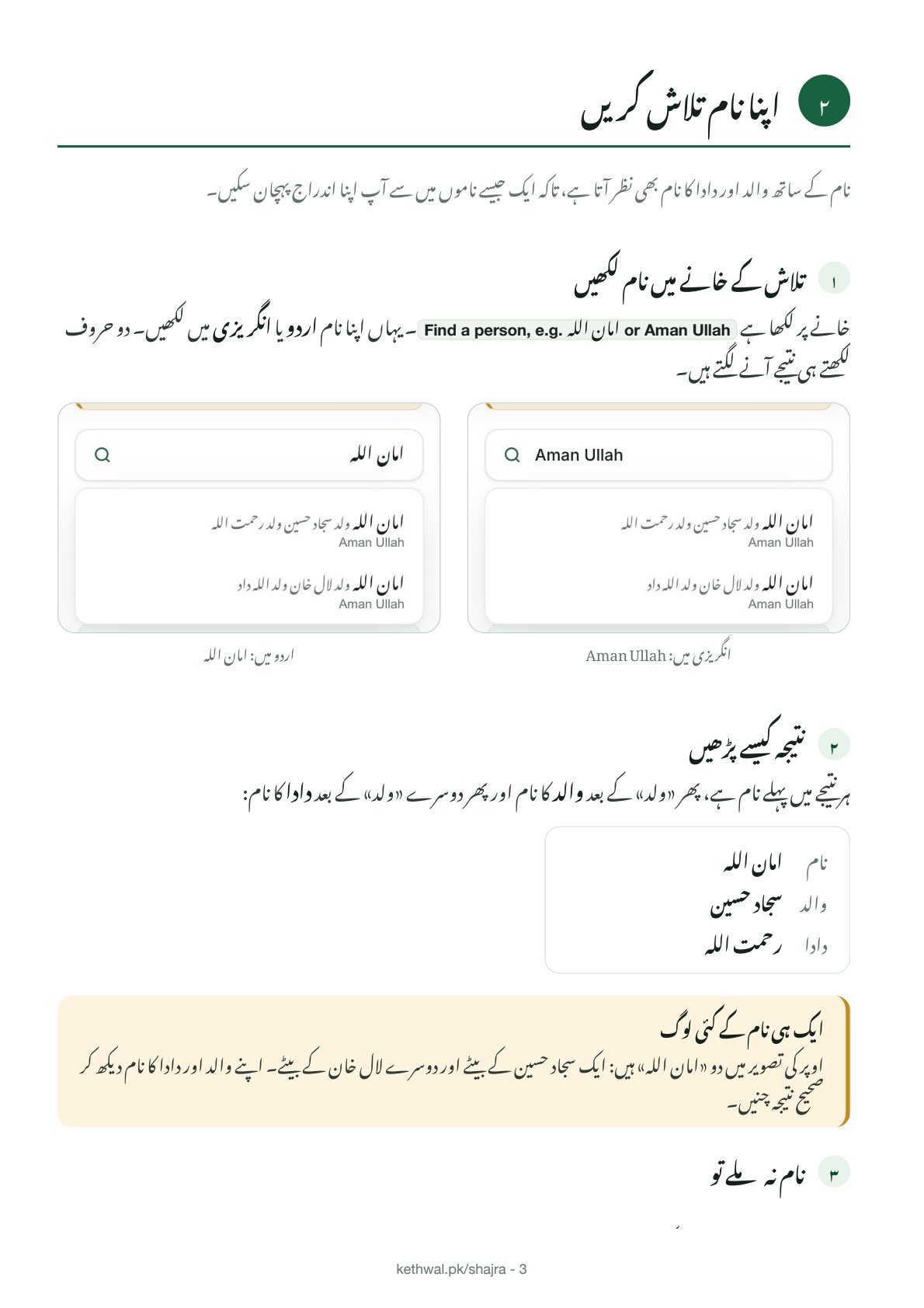
- اپنا نام تلاش کریں
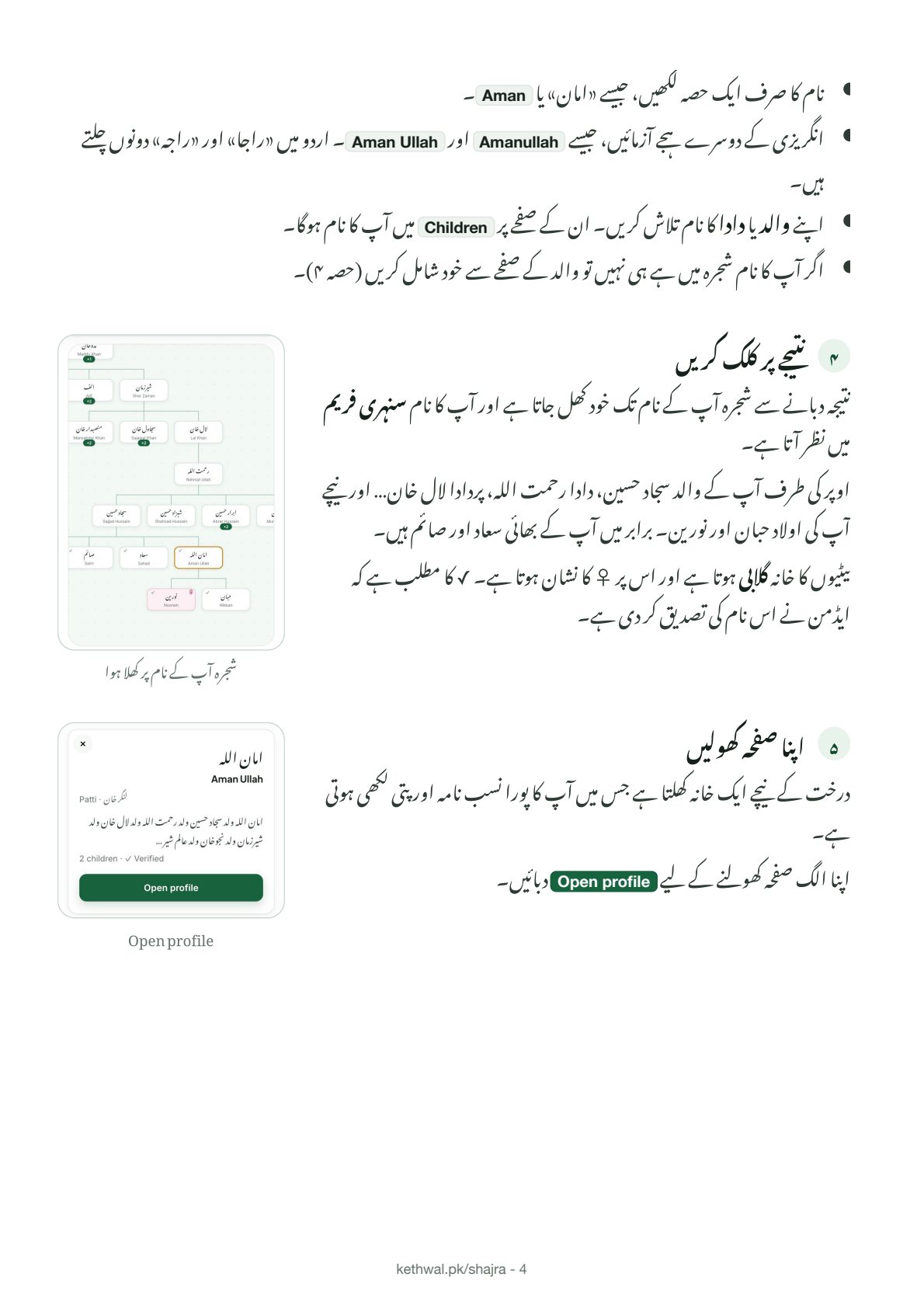
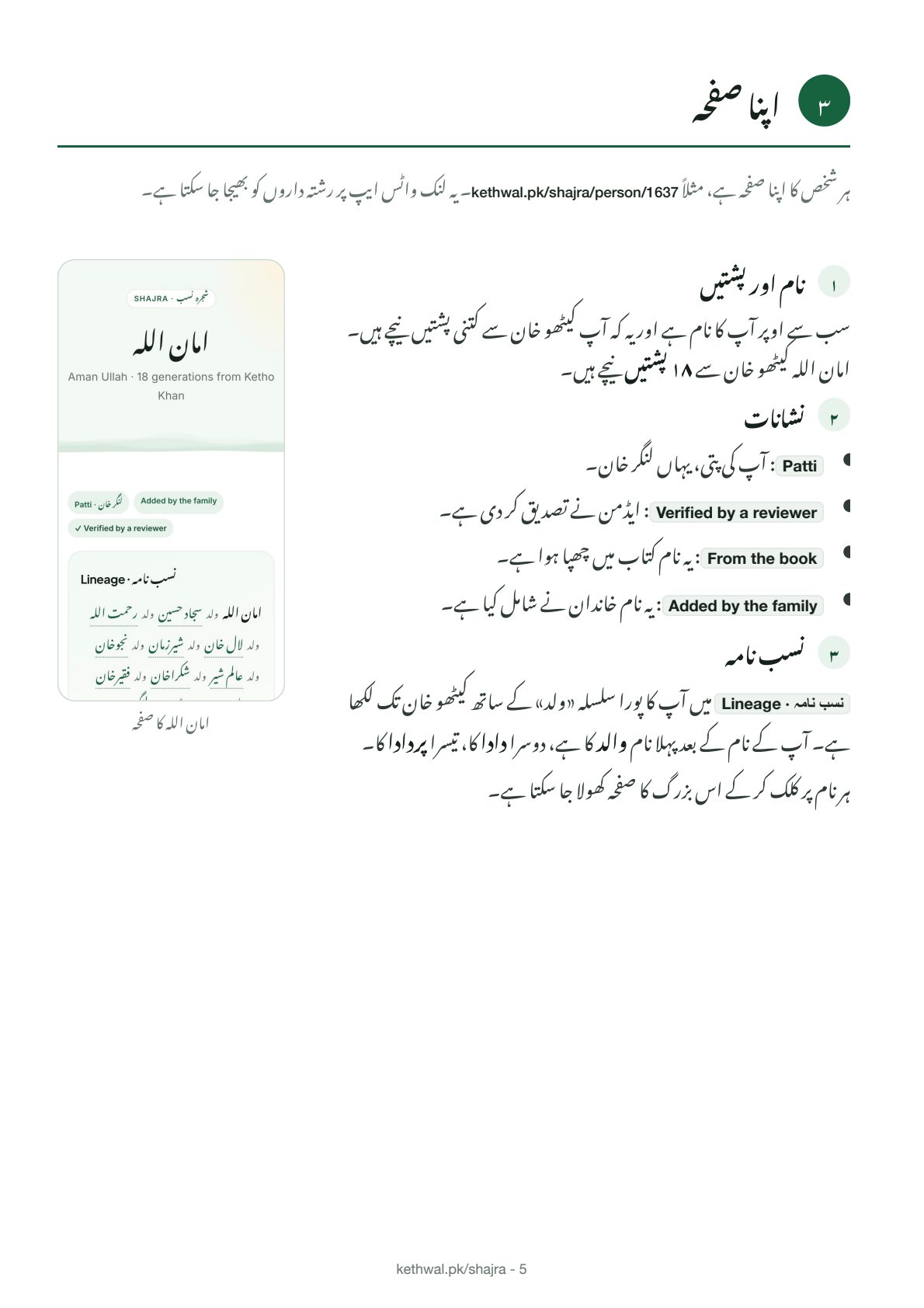
- اپنا صفحہ: نسب نامہ اور خاندان
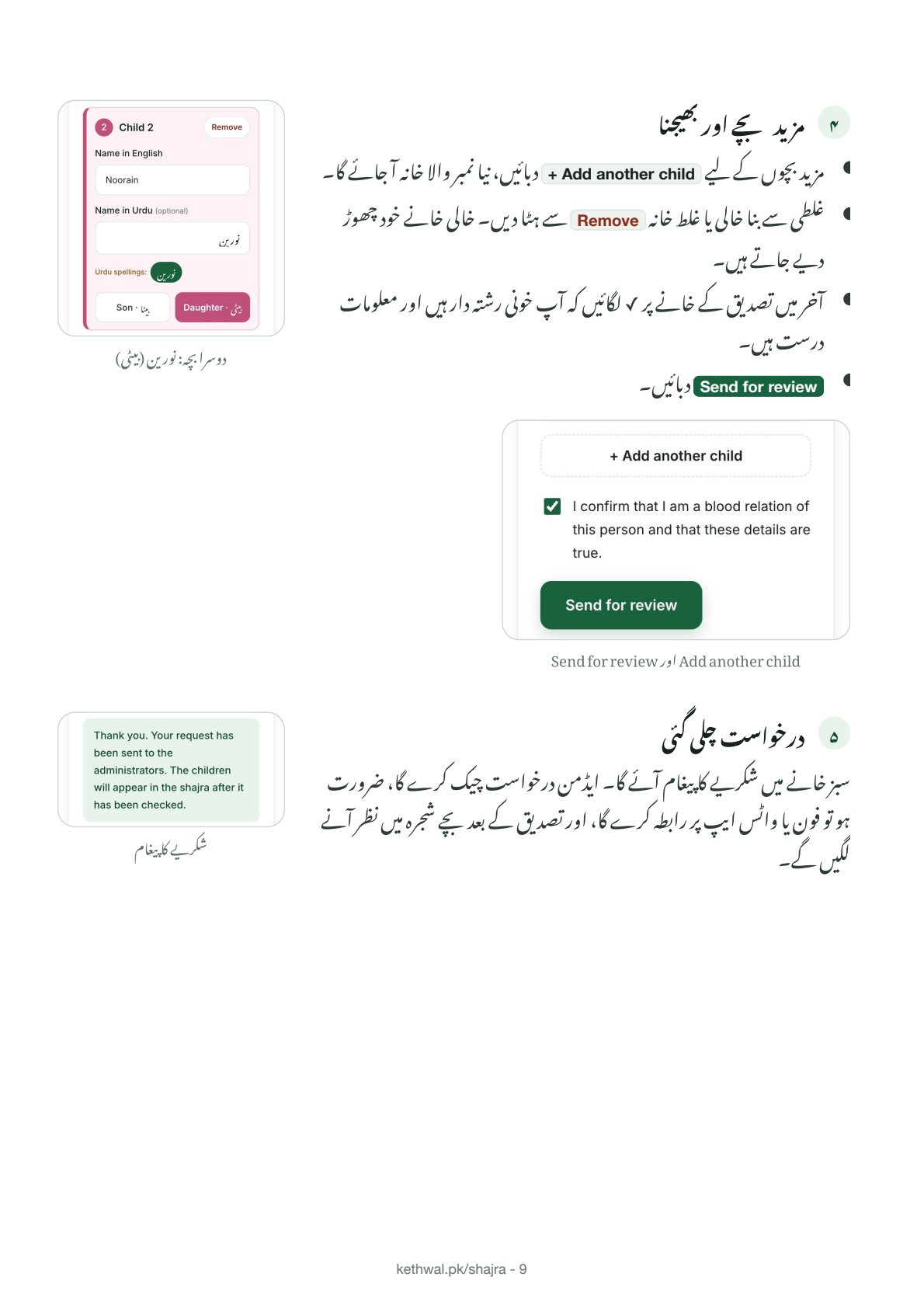
- اولاد شامل کریں
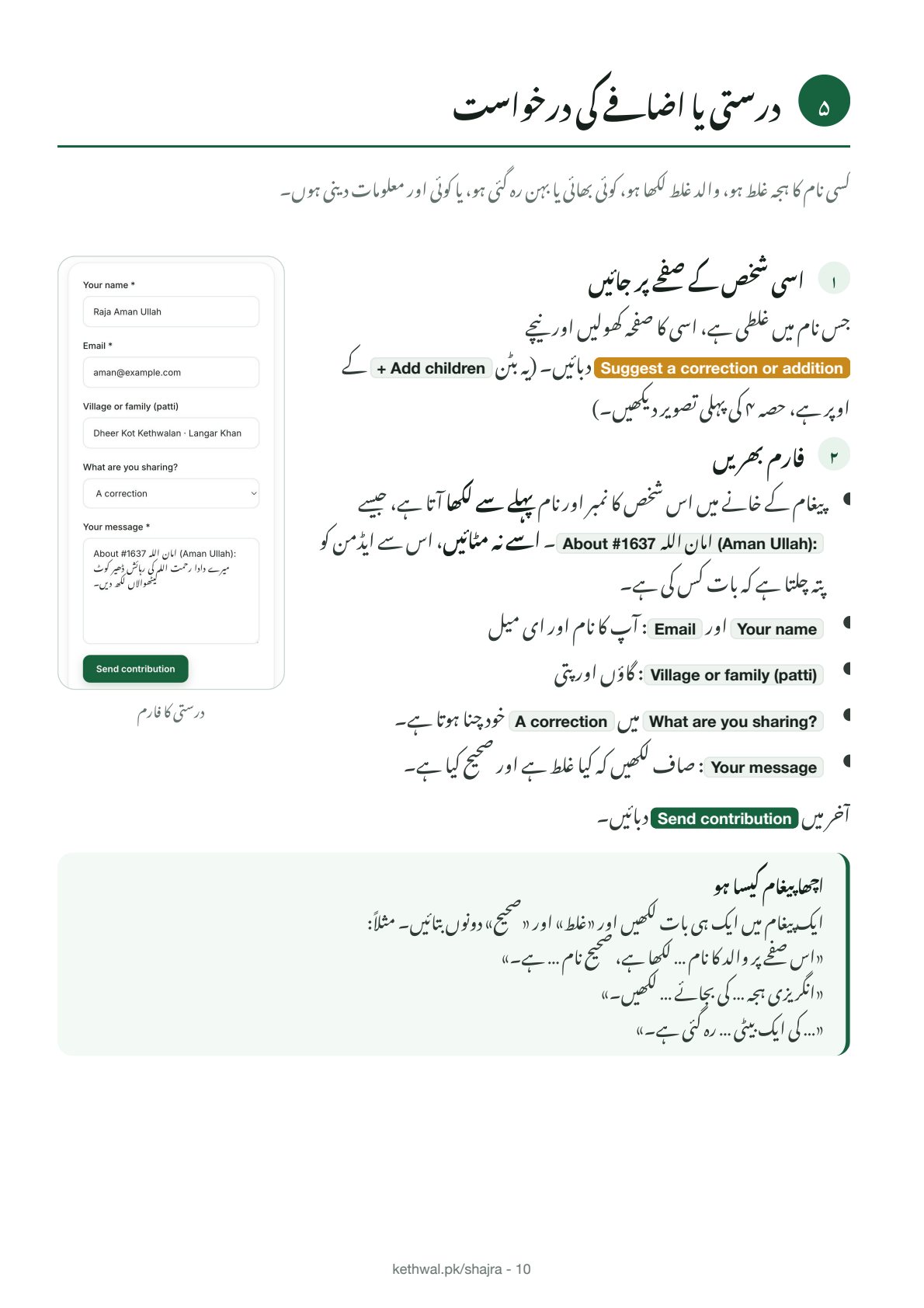
- درستی یا اضافے کی درخواست
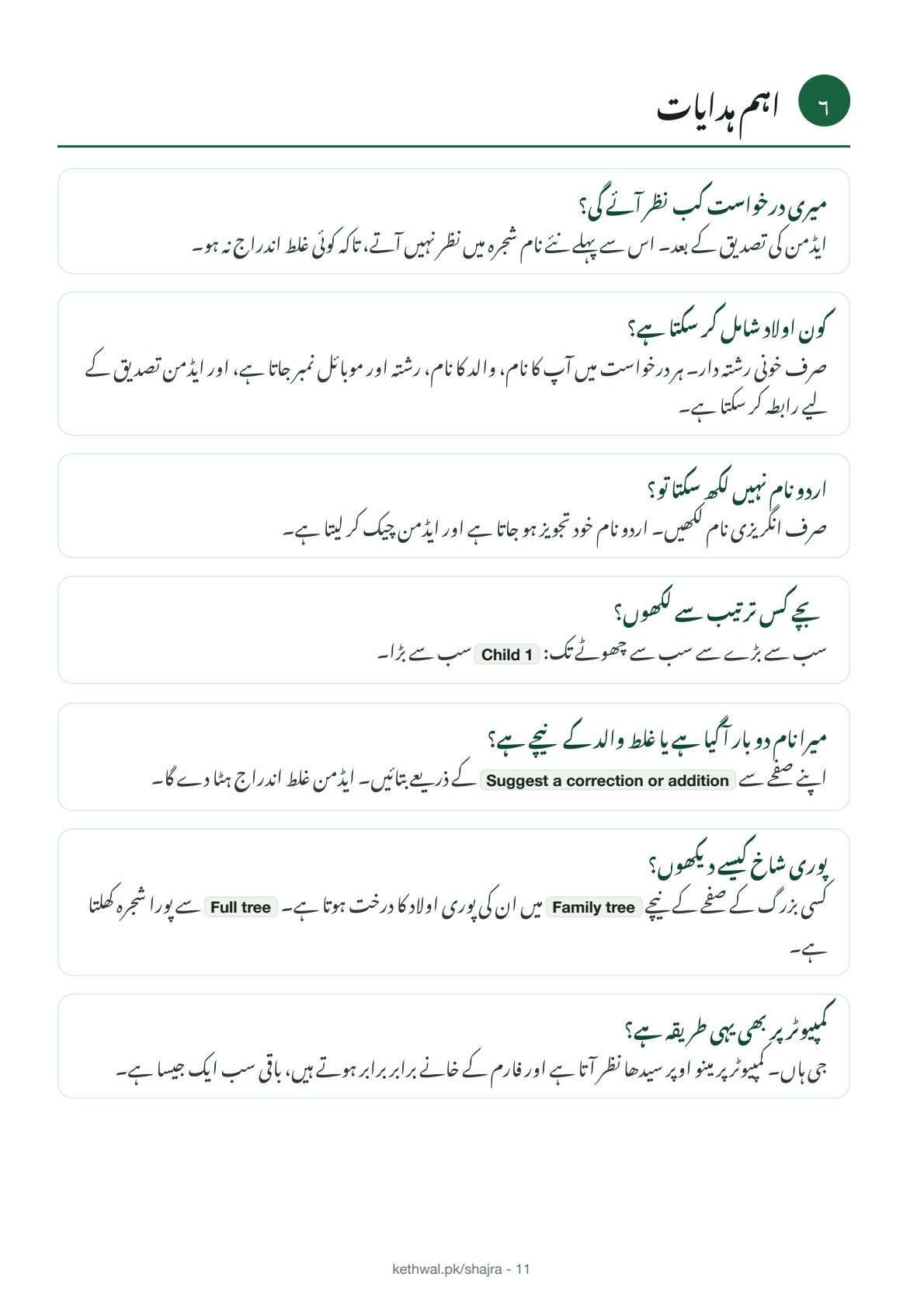
- اہم ہدایات
In short (English)
- Open kethwal.pk/shajra, or use the search in the site header.
- Type part of your name in Urdu or English. Each result shows the father and grandfather, so you can pick the right person.
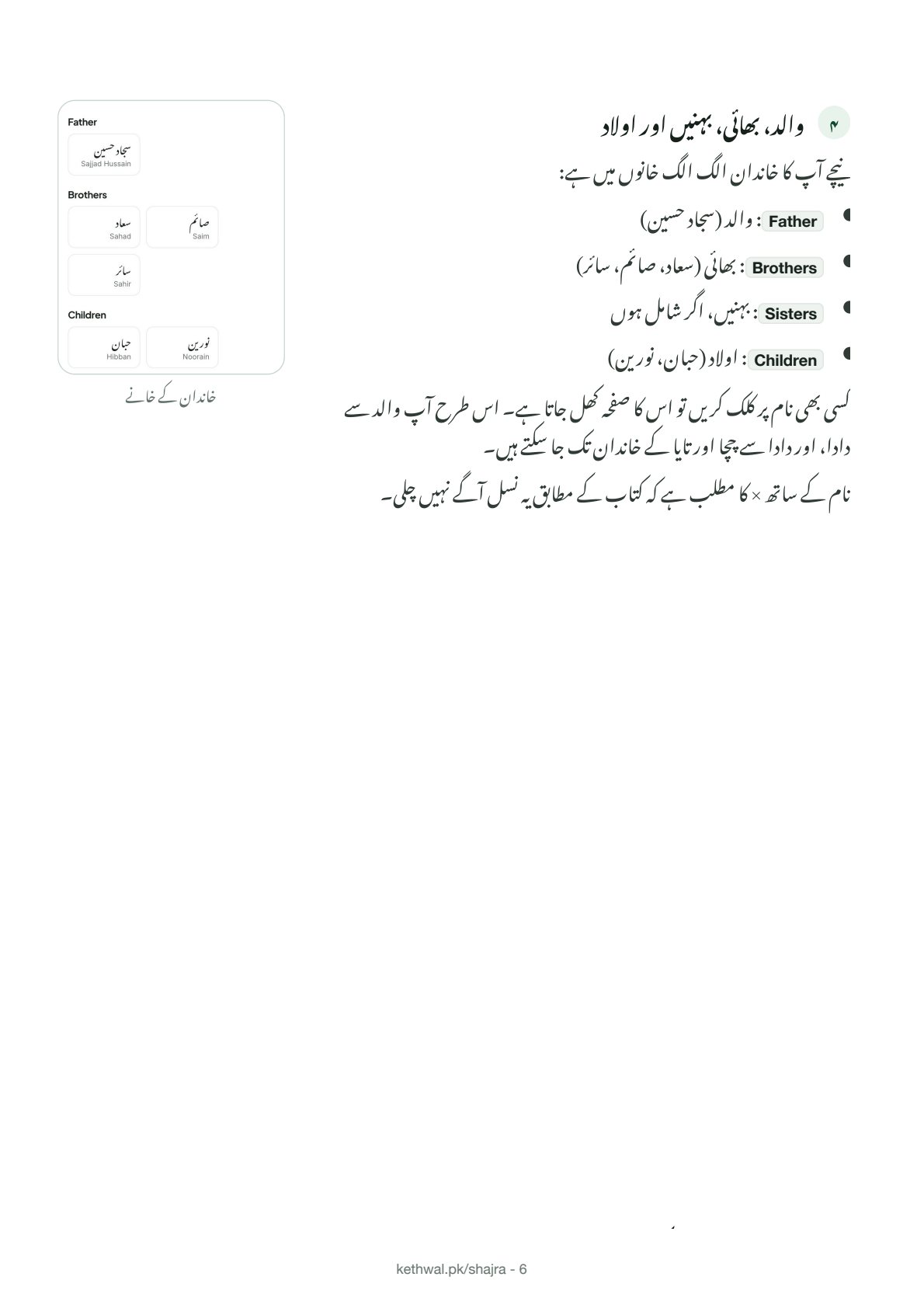
- Open your page to see your lineage back to Ketho Khan, your father, brothers, sisters and children.
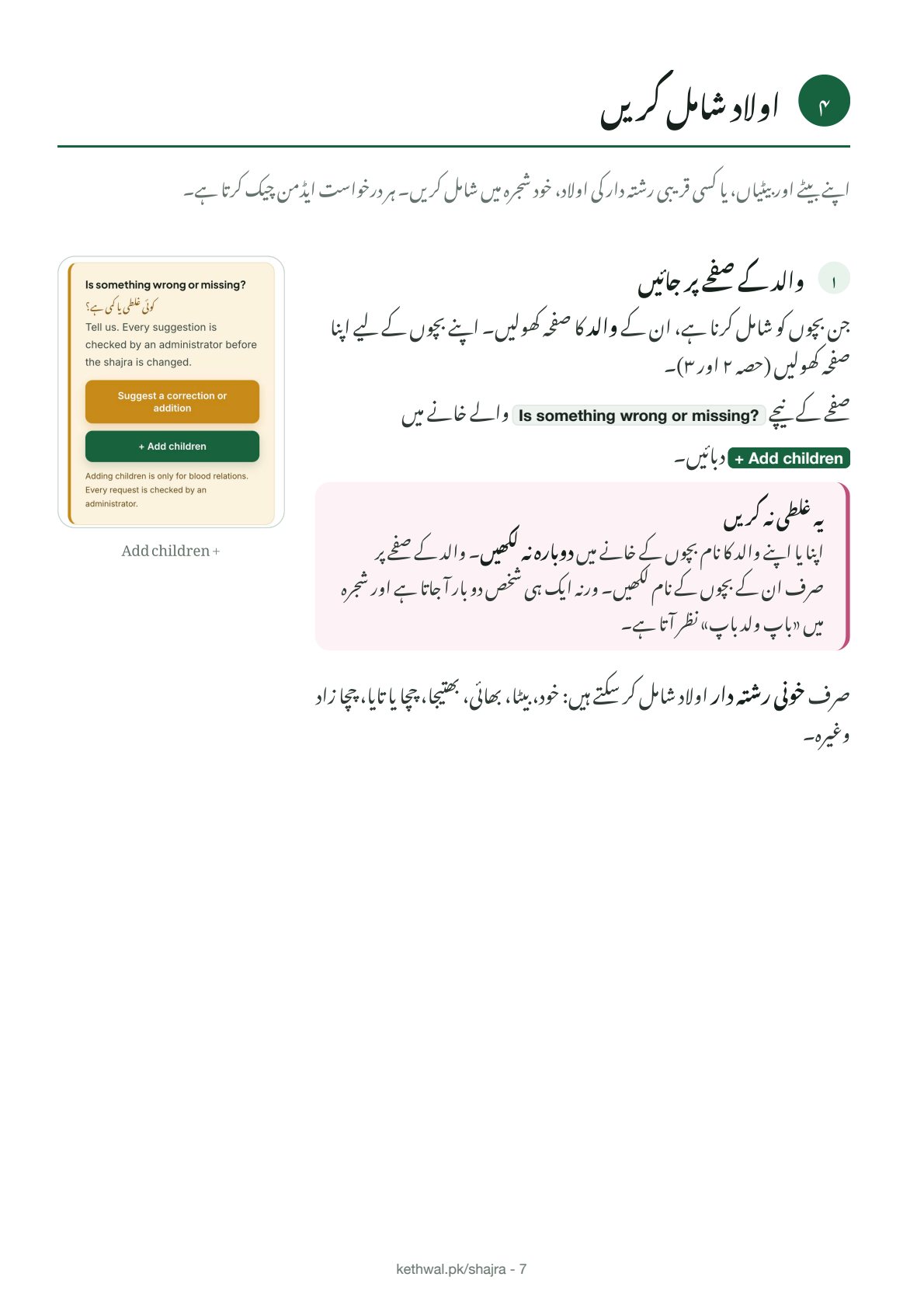
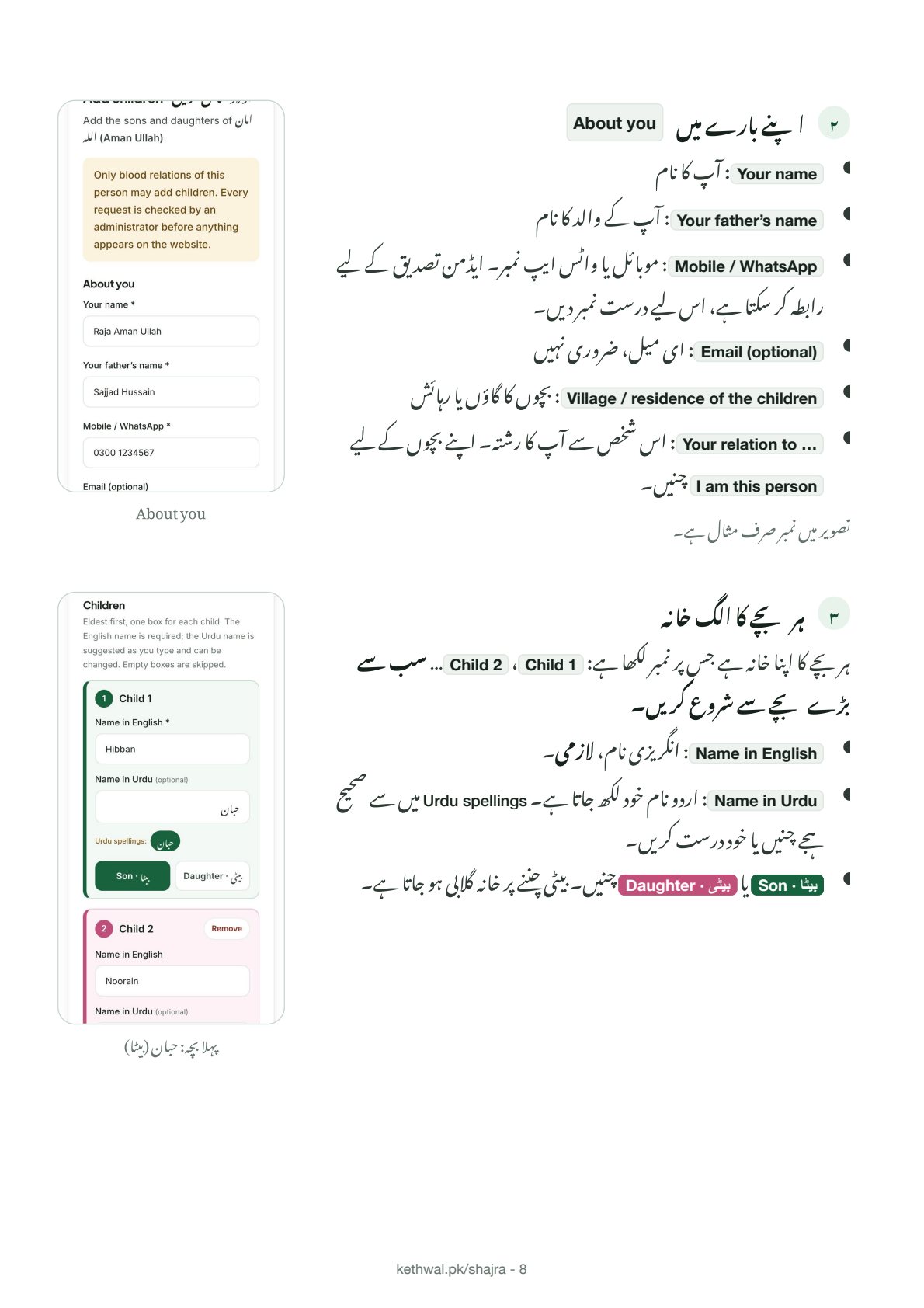
- To add children, open the father’s page and press + Add children. Only blood relations may add children. Write the eldest child first; the English name is required and the Urdu name is suggested as you type.
- For a wrong or missing name, press Suggest a correction or addition on that person’s page and say clearly what is wrong and what is right.
- An administrator checks every request, and may call or WhatsApp you, before it appears in the shajra.